Manage your Code Reviewer seats
Control access to Code Reviewer by managing seats, assigning users, and adding more through billing.
Tenki Code Reviewer is billed at $1.00 per review — reviews are the unit of consumption, not seats. Seats control who on your team can trigger a review: each plan includes a fixed seat allowance (Starter up to 5, Team up to 50; see Pricing), and only users assigned to a seat can run reviews automatically on PR open / update or manually via @tenki-reviewer.
This guide explains how to manage seats: how to assign, update, and remove them, and how to raise the seat allowance if your plan limit is too low for your team.
Raise your seat allowance
If you need more seats than your current plan allows, go to the Billing Activity page:
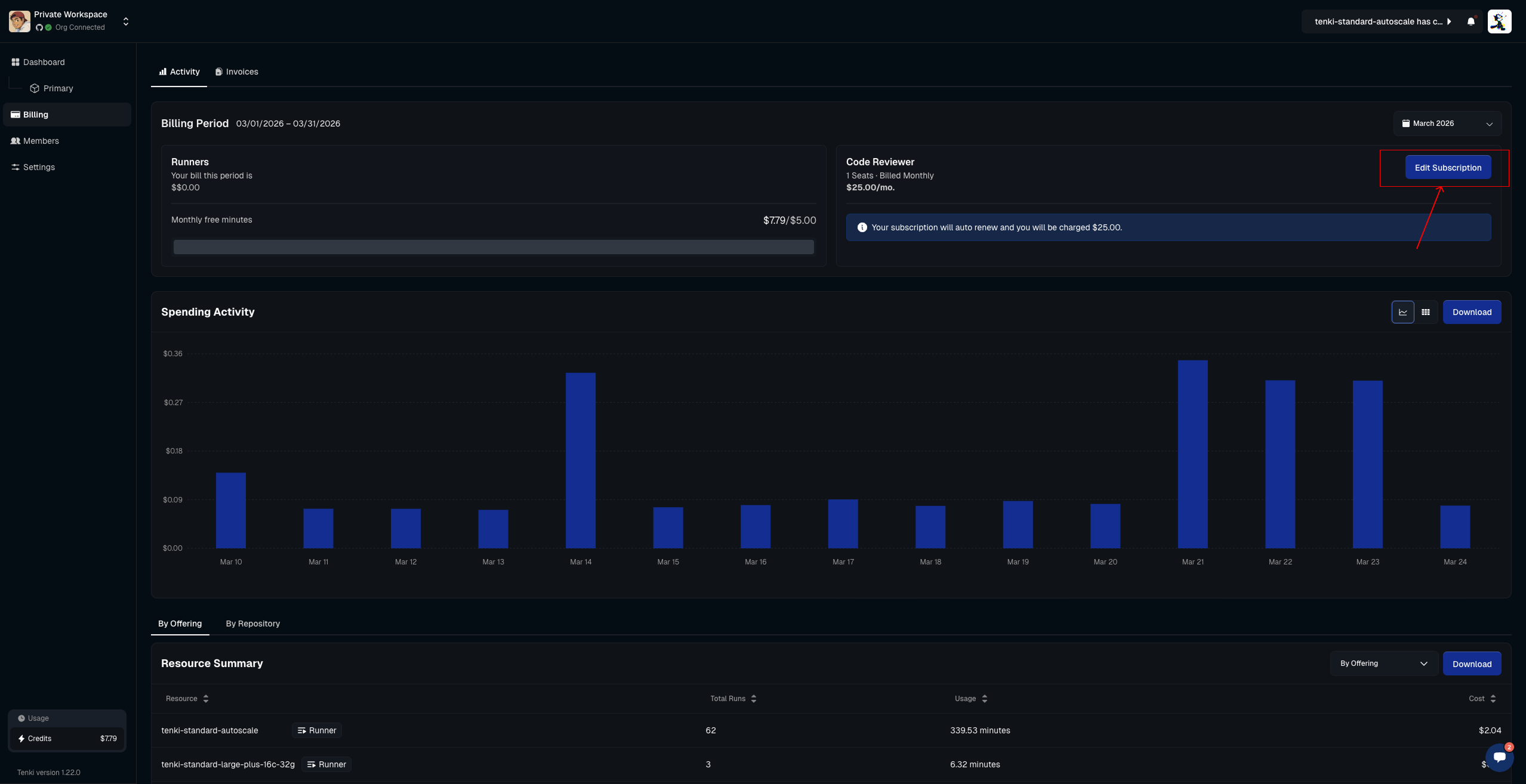
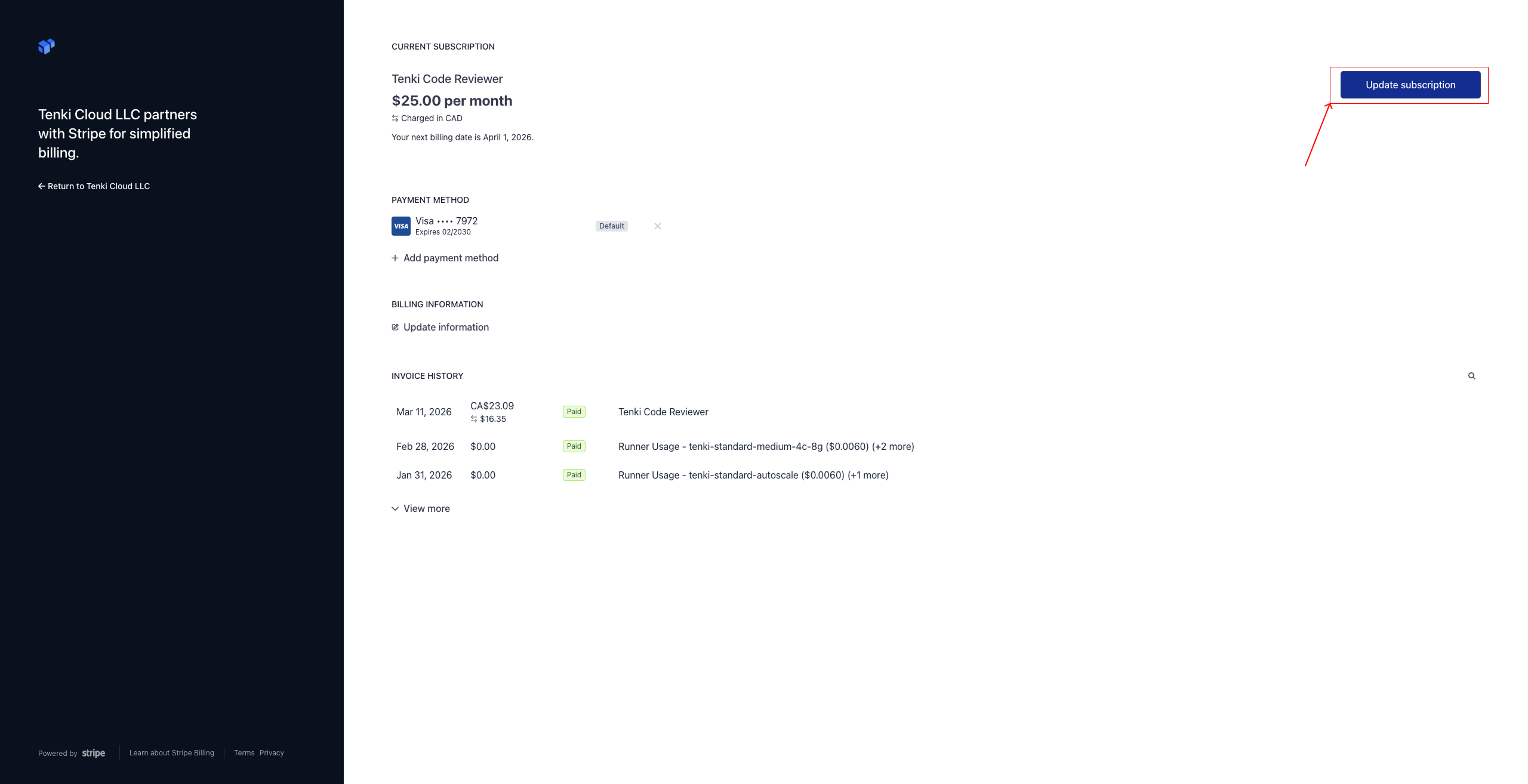
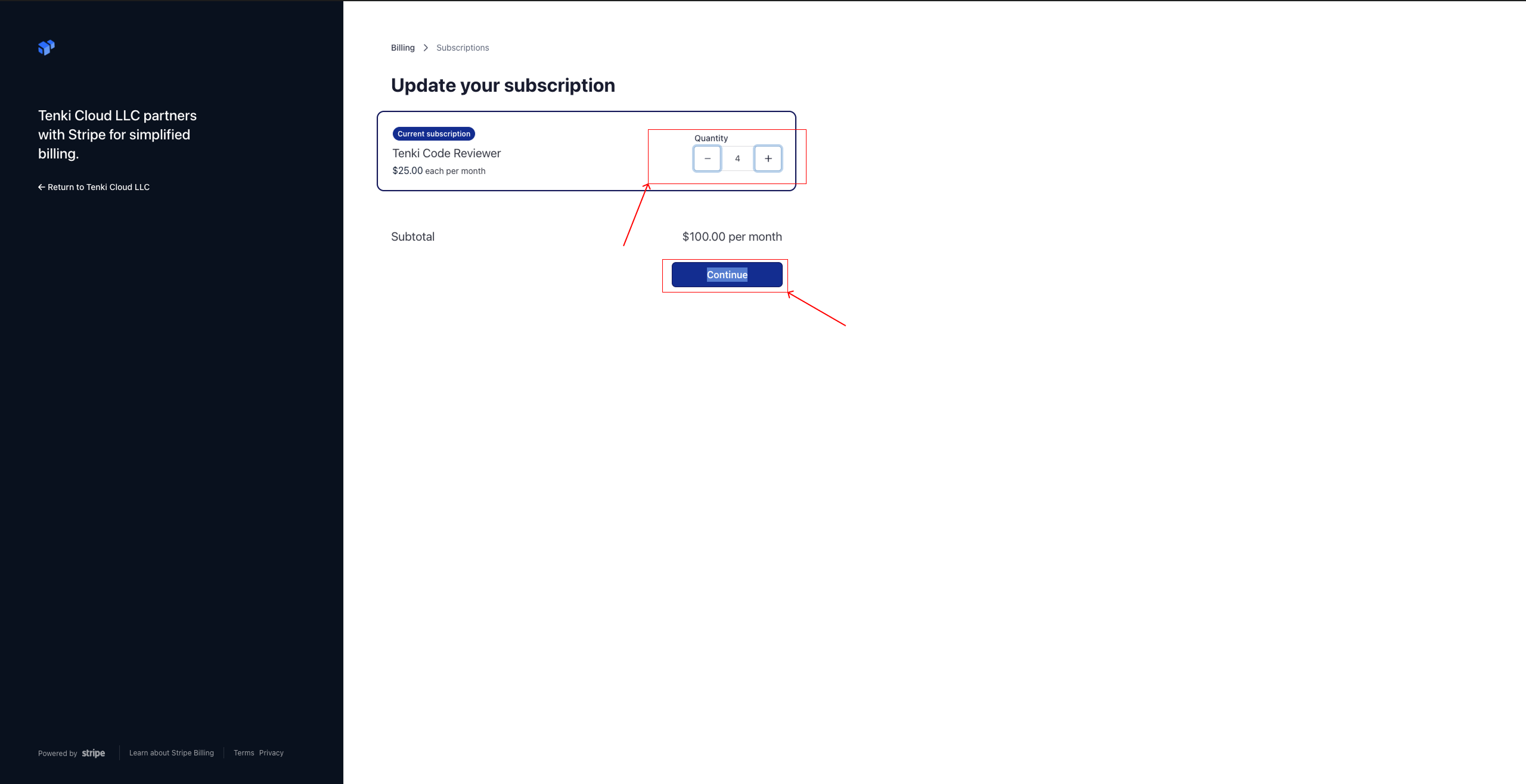
Select Buy or Edit Subscription. You will be redirected to Stripe, where you can upgrade your plan or adjust your seat allowance. Reviews are still billed per review at $1.00 each — additional seats only raise the cap on who can trigger them.
Seat Management
Access the Seat Management page
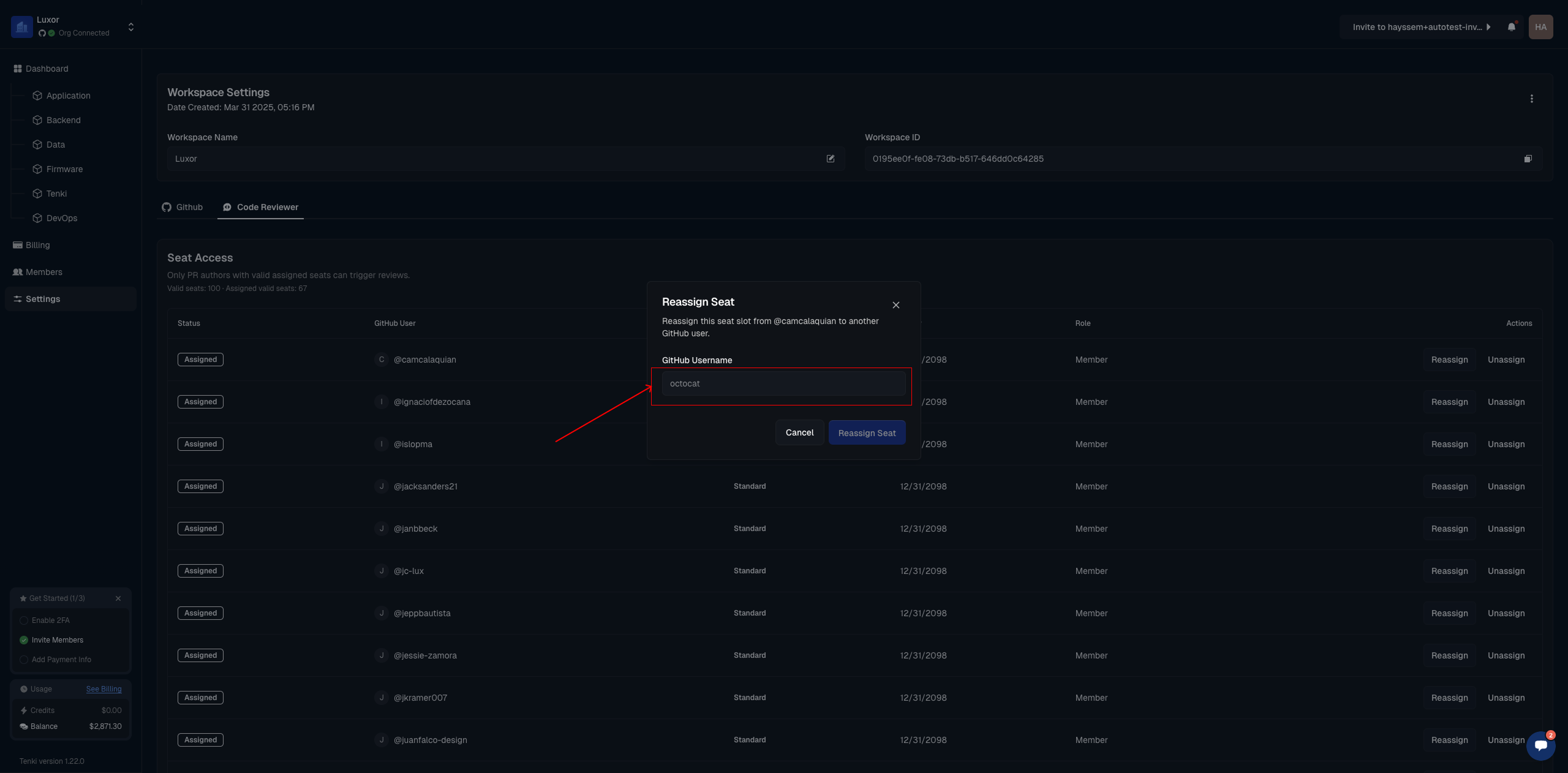
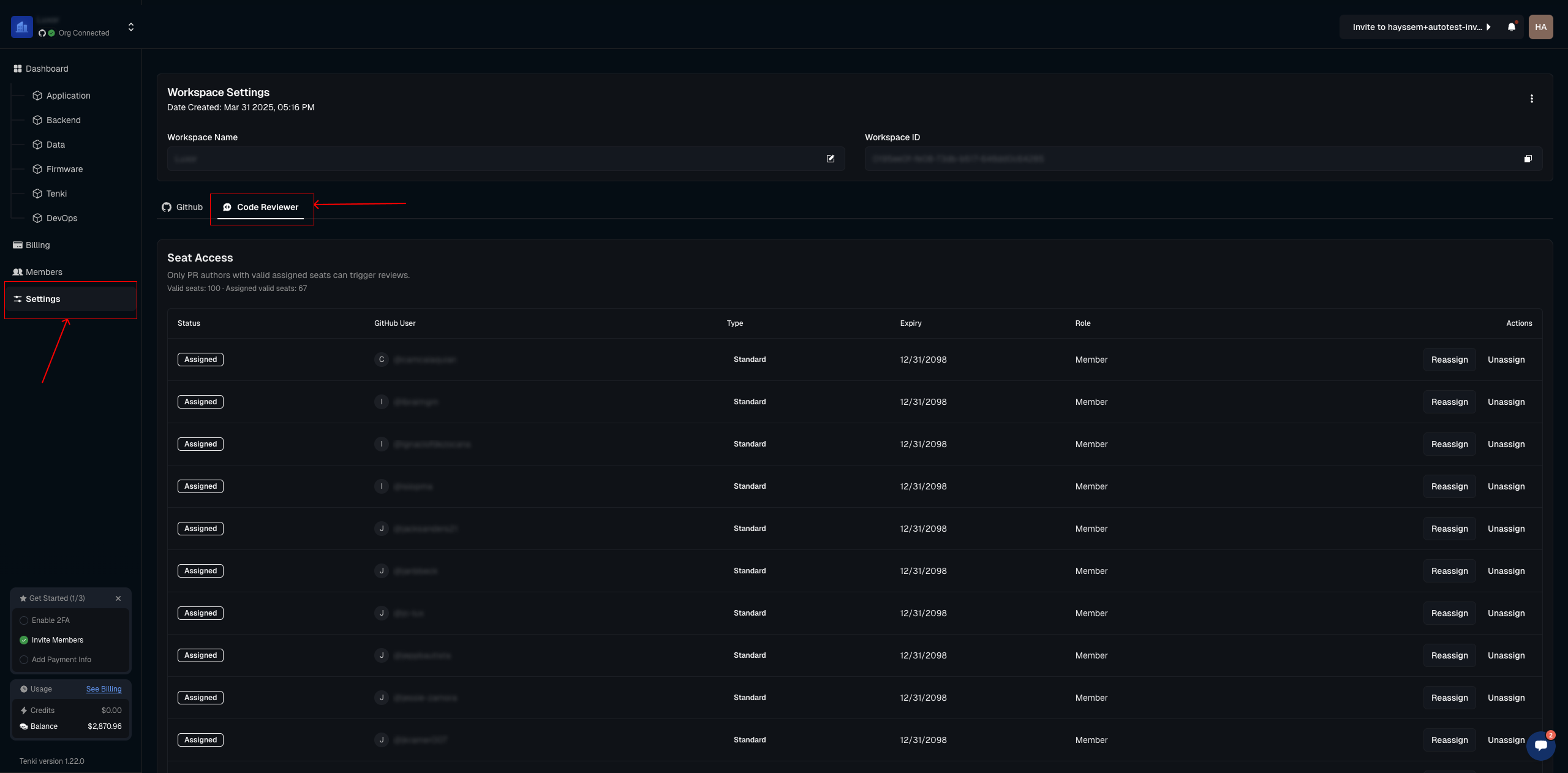
To get started, go to the Seat Management page by selecting Settings and then the Code Reviewer tab. You should see the full table of
Assign a seat
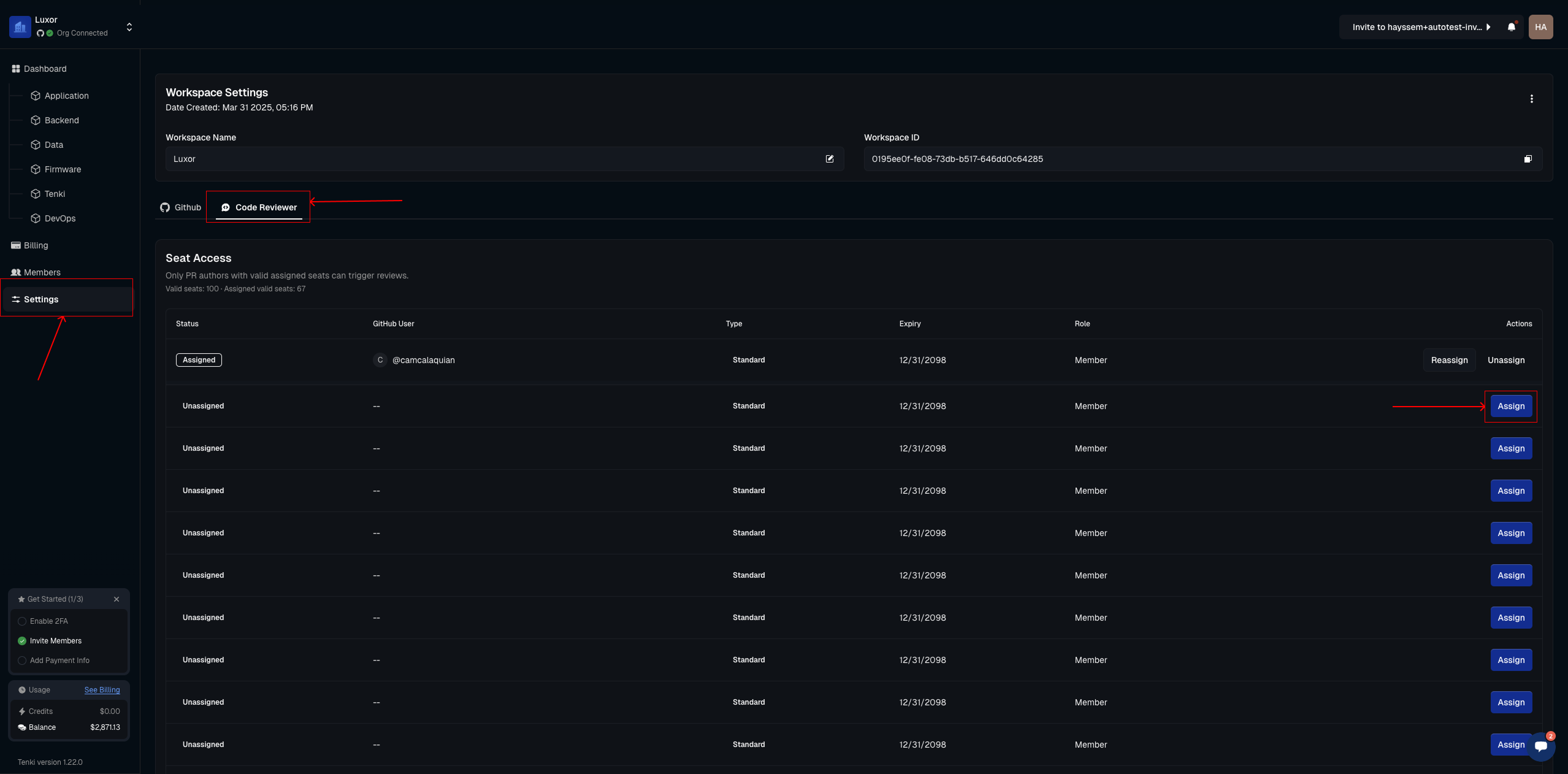
All seats purchased through the billing system will appear here, ready to be assigned to GitHub users as shown below.
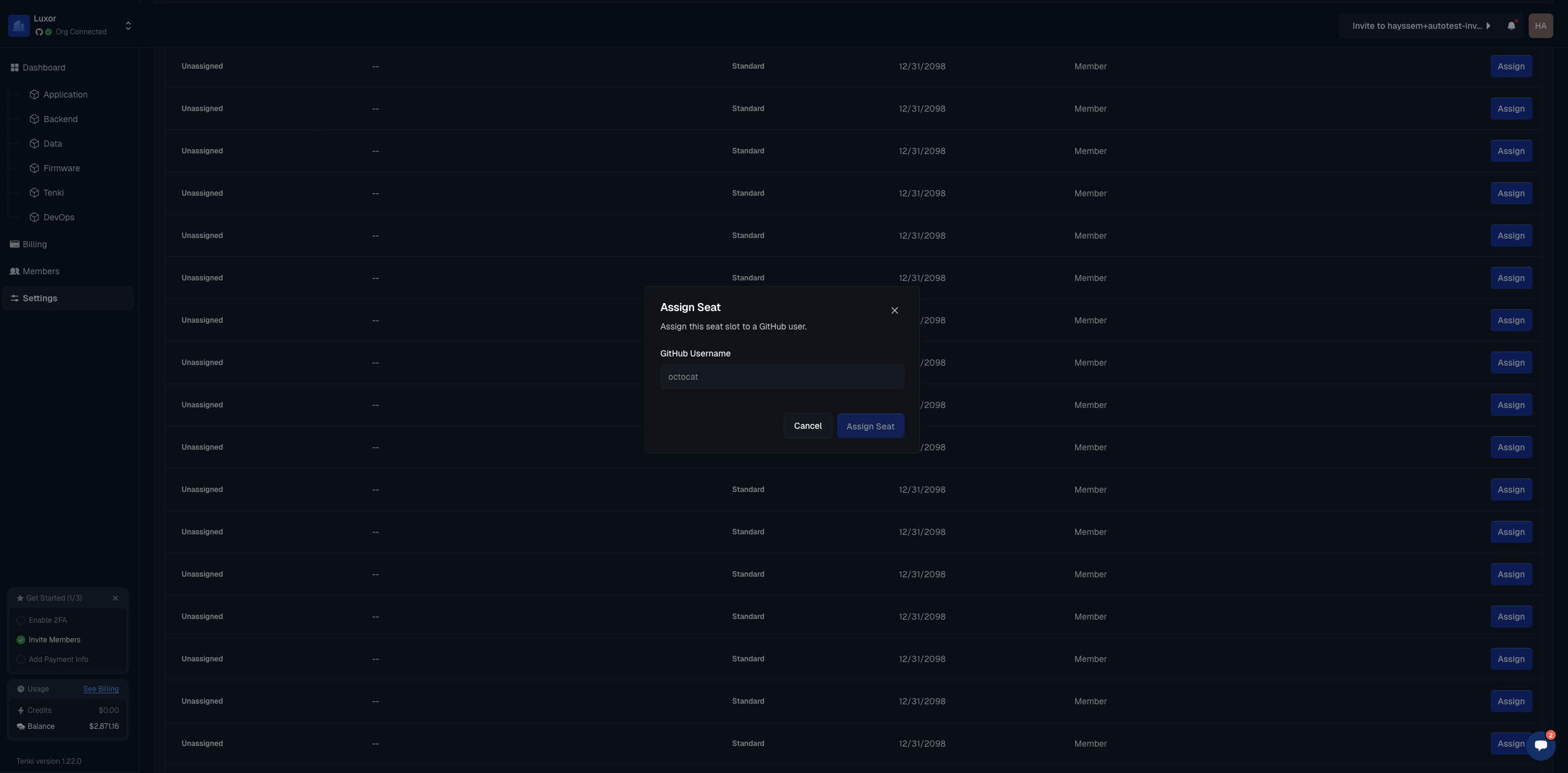
After clicking the Assign button, you’ll be prompted to enter a GitHub username. Once entered, confirm to complete the assignment.
The user will now be able to trigger the Code Reviewer automatically when opening a PR or manually by tagging
@tenki-reviewer.
Manage assigned seats
To manage existing seats, whether to update, reassign, or remove a user, open the same table and click the Reassign or Unassign button.
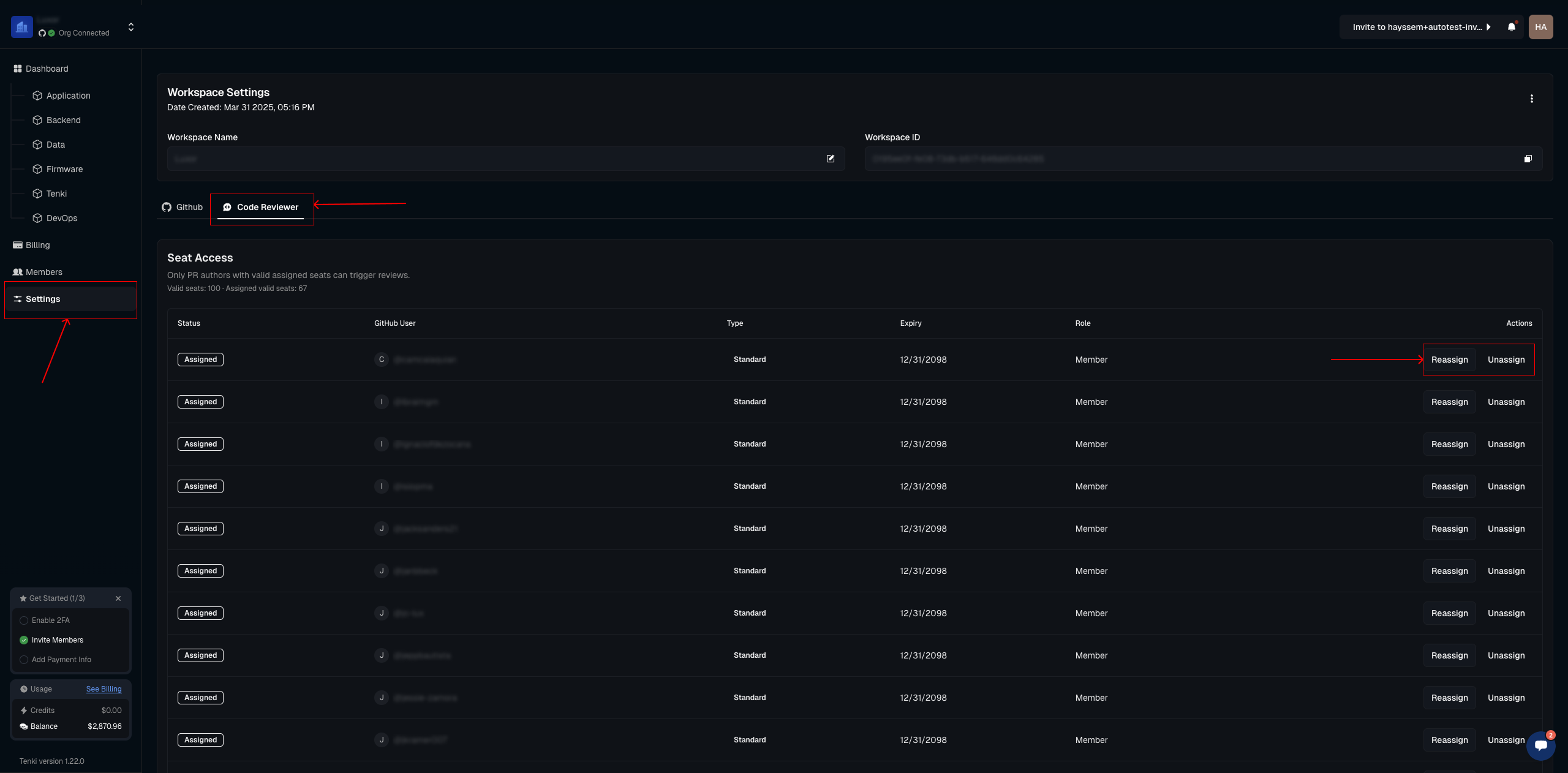
This works the same way as assigning a seat, just enter the GitHub user you want to grant access to.